

Instructions on how to add a member to your group chat in Hey Lady!
1. Go to the Chat feature and find and open your group chat.
2. Click the 3 dots.
3. Click Group Info
4. Click the Add members button.
Type the lady's name, find and selected them.
6. Click Add members.
Instructions on how to remove a member from your group chat in Hey Lady!
1. Go to the Chat feature and find and open your group chat.
2. Click the 3 dots.
3. Click Group Info.
4. Find the member's name and click the Bin icon.
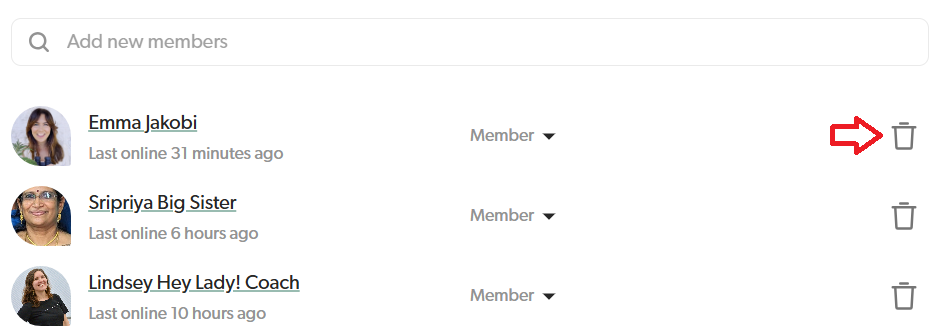
5. Confirm that you want to remove the member by clicking Remove a second time.