How to have the best video experience inside Hey Lady! - helpful tips!
Please use the most up-to-date version of Google Chrome to participate. You can download and install Google Chrome here.
Connect to a stable network, preferably through an ethernet cable, especially if you are using an older device
Adding a virtual background during an event can provide you with more privacy or a consistent and particular look for an event.
Instructions on how to add or change your background during a Hey Lady! event
Note: This will only be available if your camera is turned on.
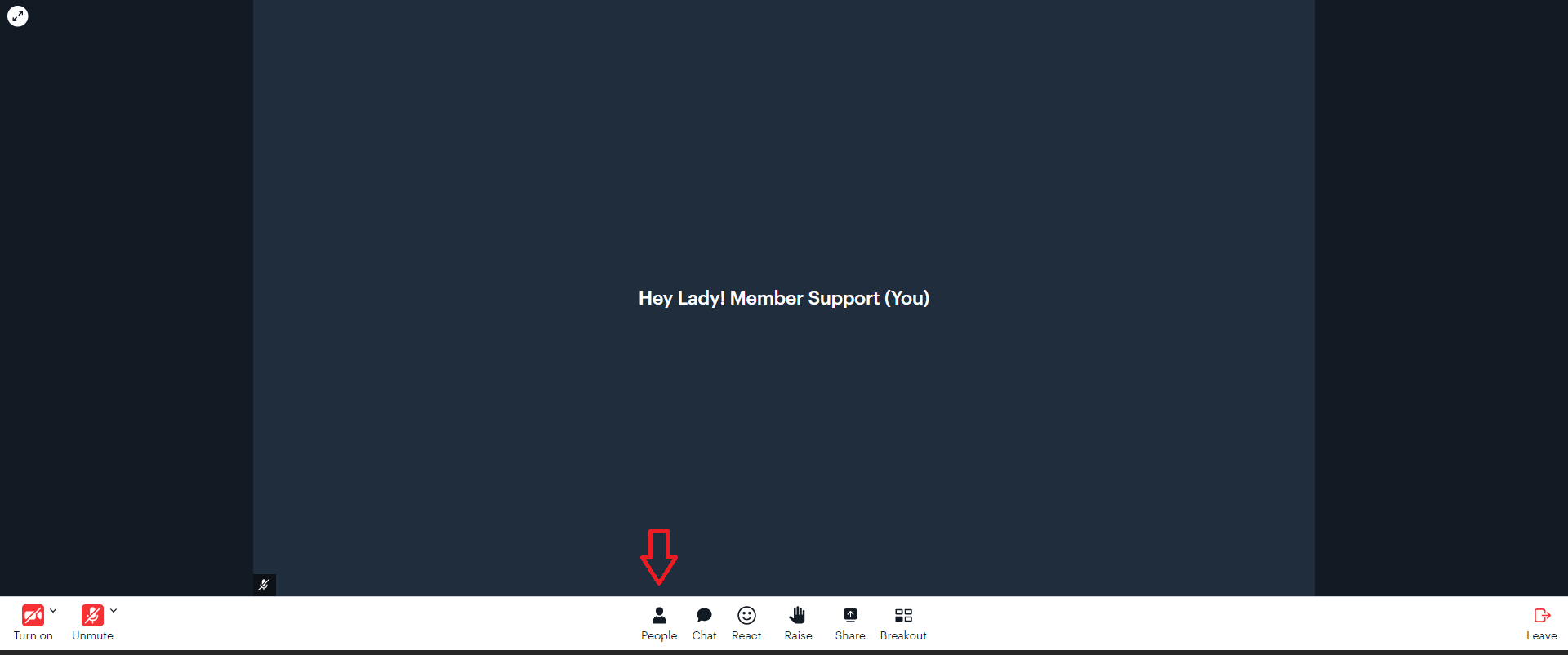
1. While inside an event, click the People icon within the in-meeting controls.
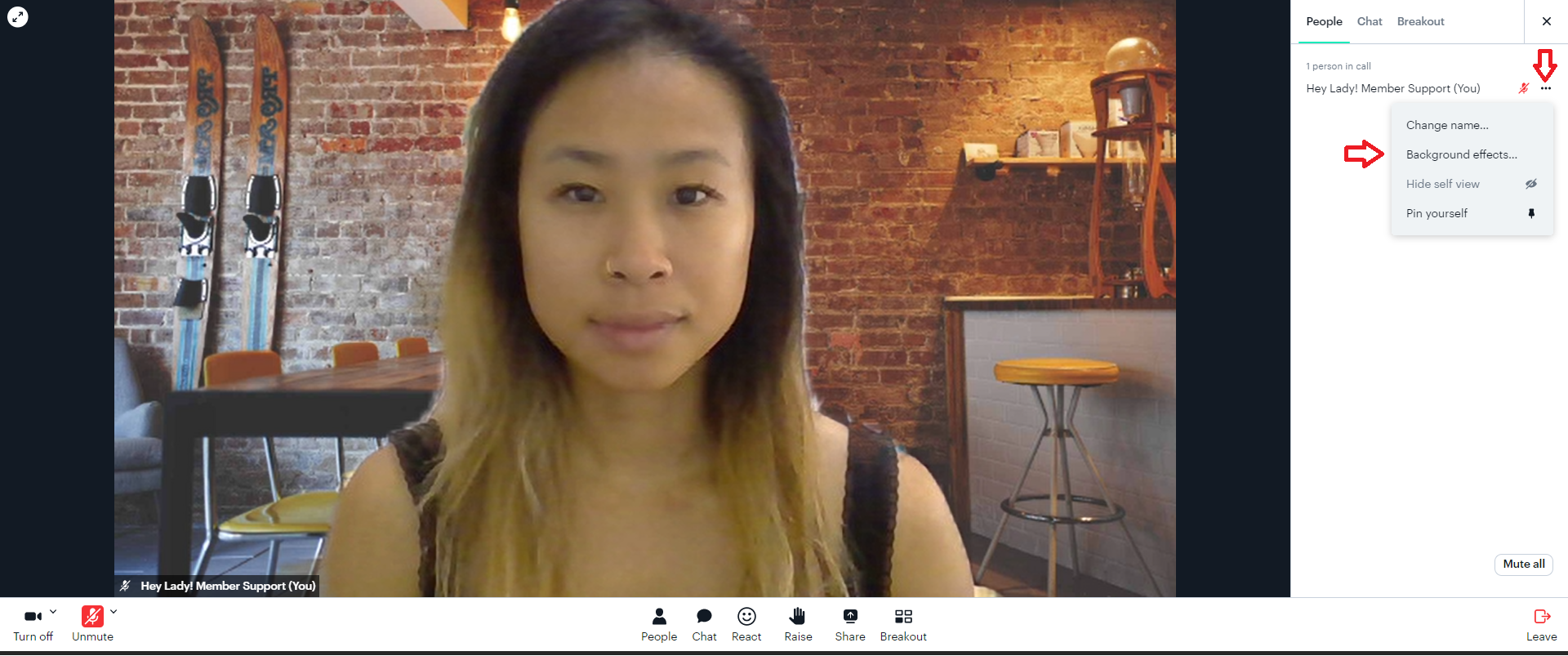
2. The list of meeting participants will then appear on the right-hand side of the meeting. Find your name and click the 3 dots. Then click Background effects from the drop-down menu.
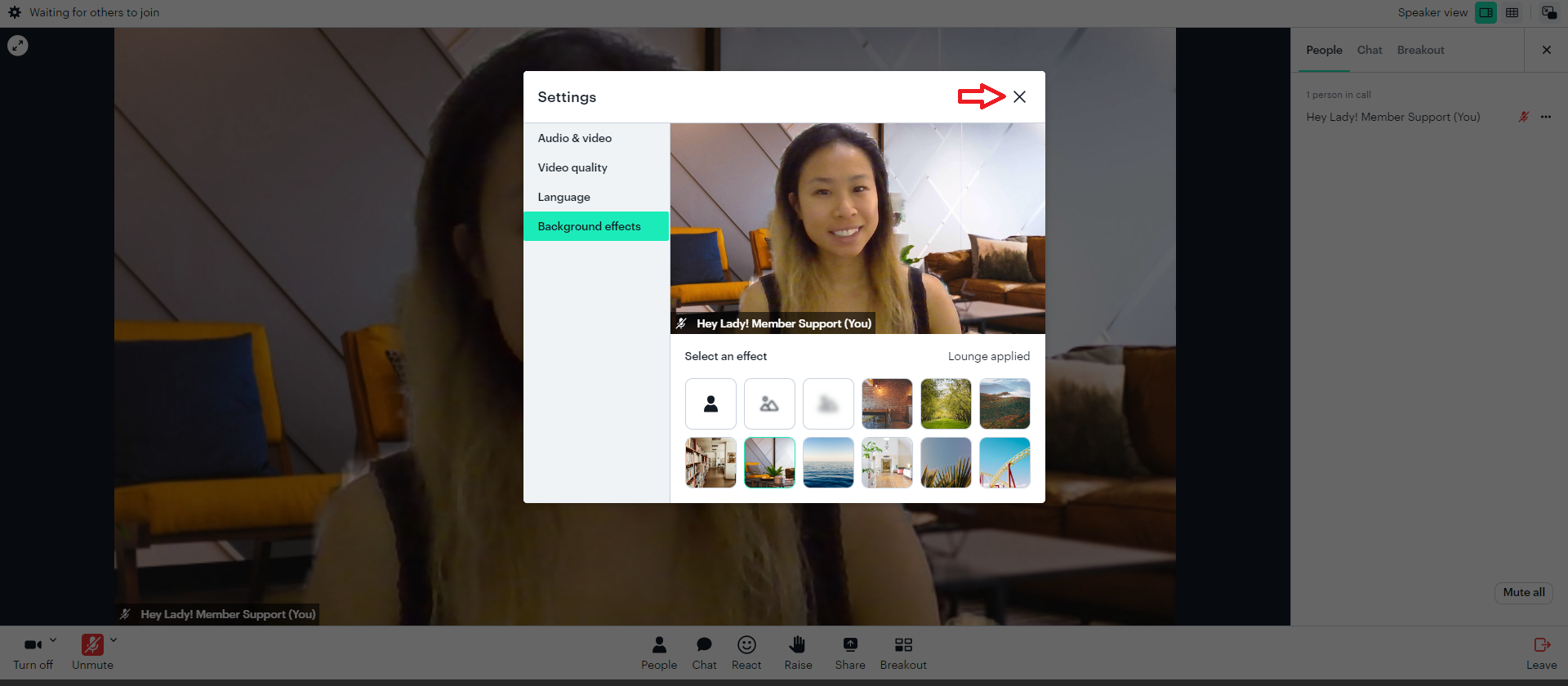
3. Select which background or effect you want from the available options. Then click the close icon (X).