
Instructions on how to leave a channel
1. Find and open the channel you want to leave.
2. Click the 3 dots.
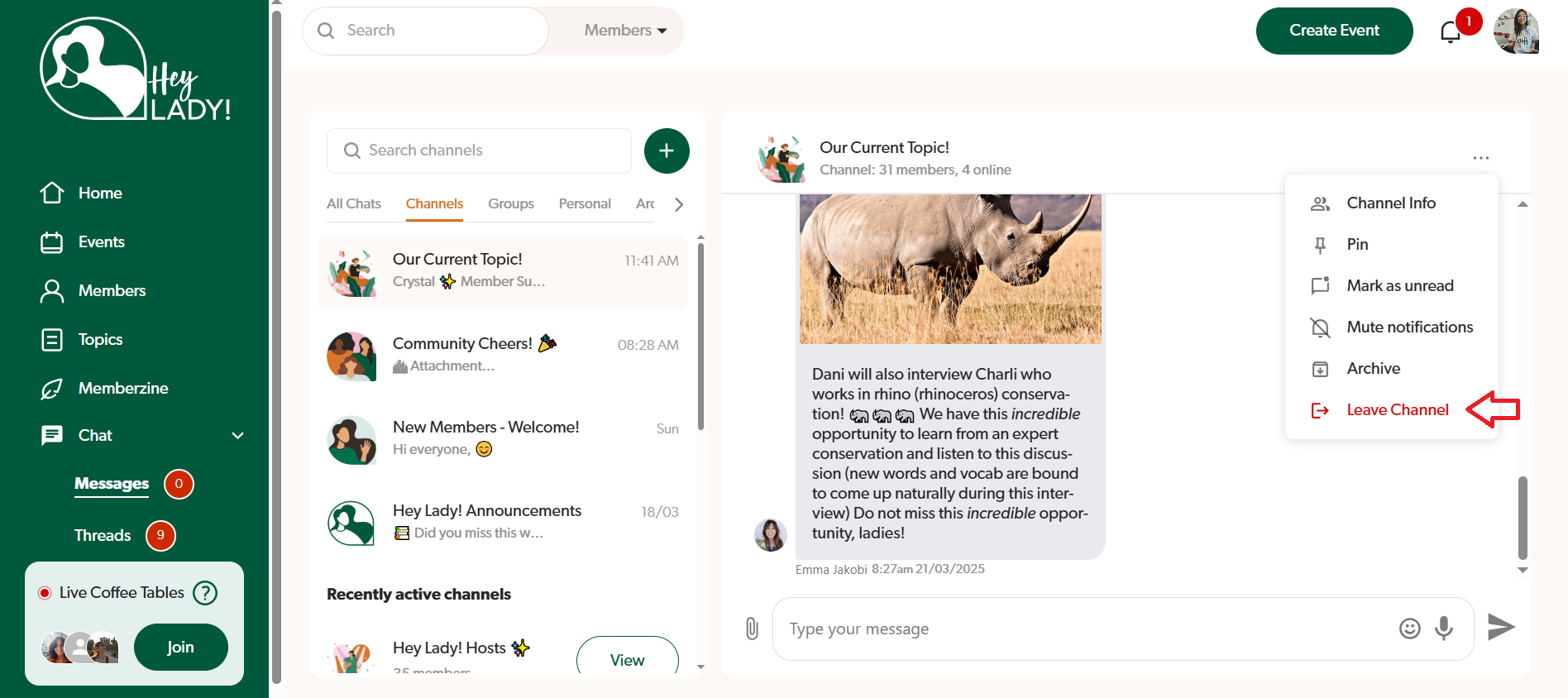
3. Click Leave Channel.
4. Confirm you want to leave the channel by clicking Leave.

Hi! How can we help you today?
Search our Help Desk to find answers quickly! If you need more help, reach out to us anytime at hello@heylady.io
Hey Lady! Chat Feature
Last updated on 15 Nov, 2025
1. Find and open the channel you want to leave.
2. Click the 3 dots.
3. Click Leave Channel.
4. Confirm you want to leave the channel by clicking Leave.
Related Articles