

Sending an audio message or voice note in the Hey Lady! chat box lets you instantly communicate with other members. It's easy and a GREAT way to build your confidence and feel more comfortable speaking English with others!
Instructions on how to send an audio message inside Hey Lady!
1. Inside a chat room, click the microphone button to begin recording
2. Record your audio message and click the ⏹️ stop button when you've finished (or click the ⏸️ pause button if you need to take a break briefly!)
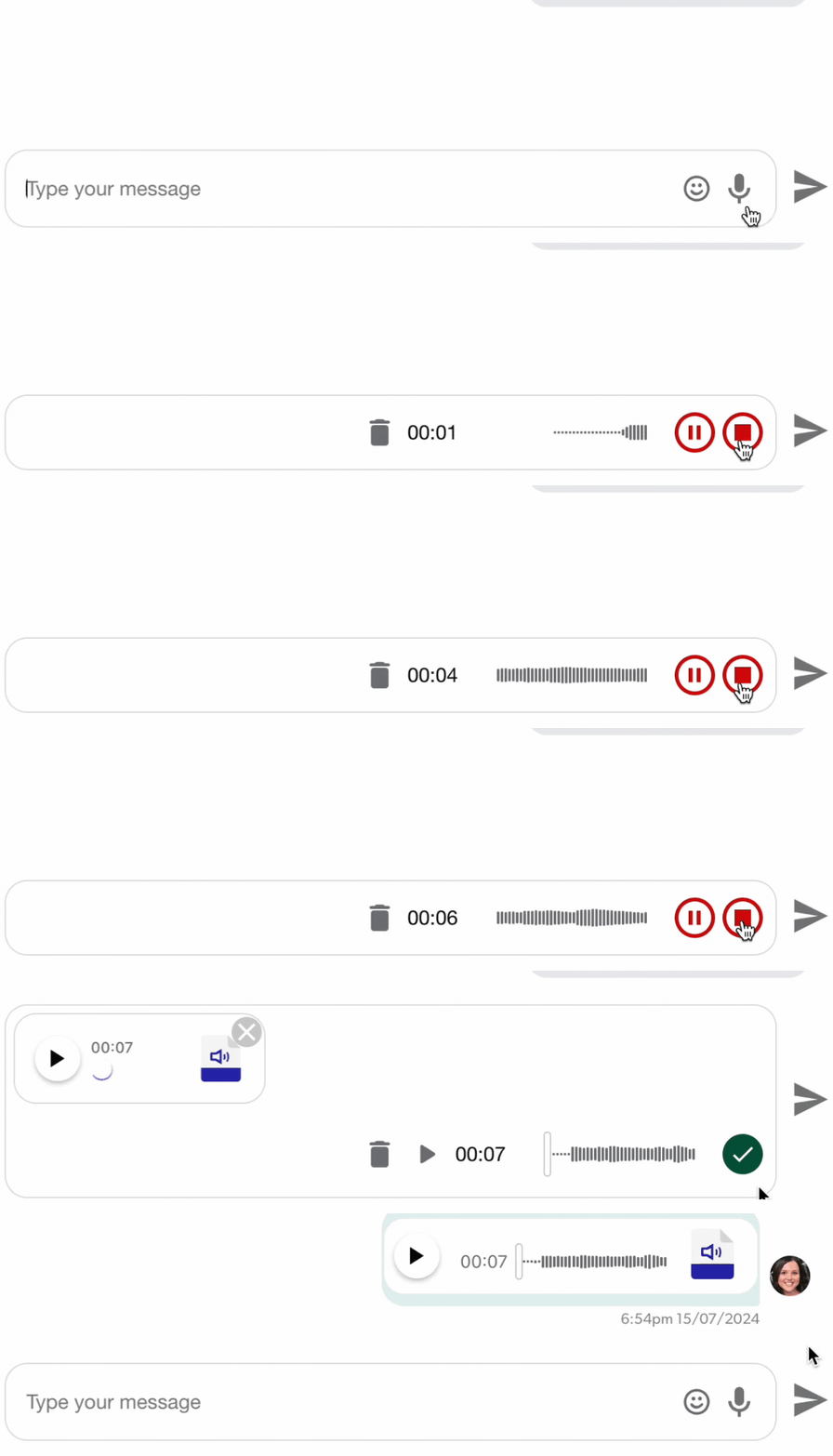
3. If you want to play back your voice note, click the ▶️ play button
If you want to delete or cancel it, click the 🗑️ rubbish bin button
If you're happy with it, click the ✅ green tick button

4. Once you're ready to send your message to the chat, click the arrow button!
