

Instructions on how to update your location in your Hey Lady! profile
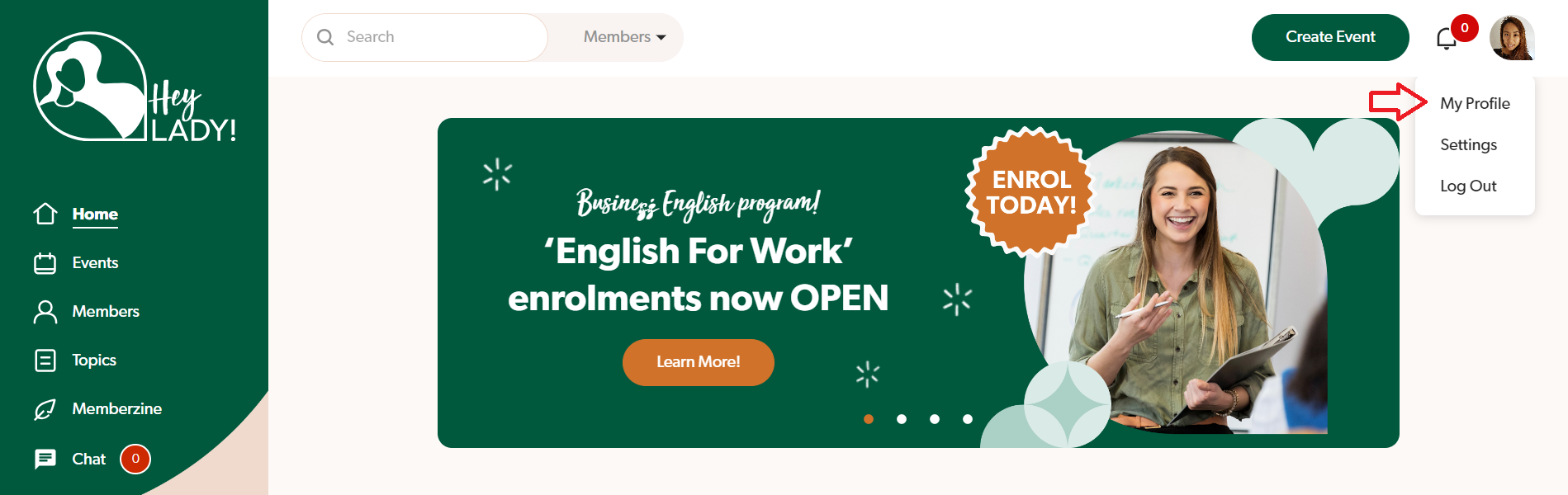
1. Go to your profile photo at the top right corner and click My Profile.
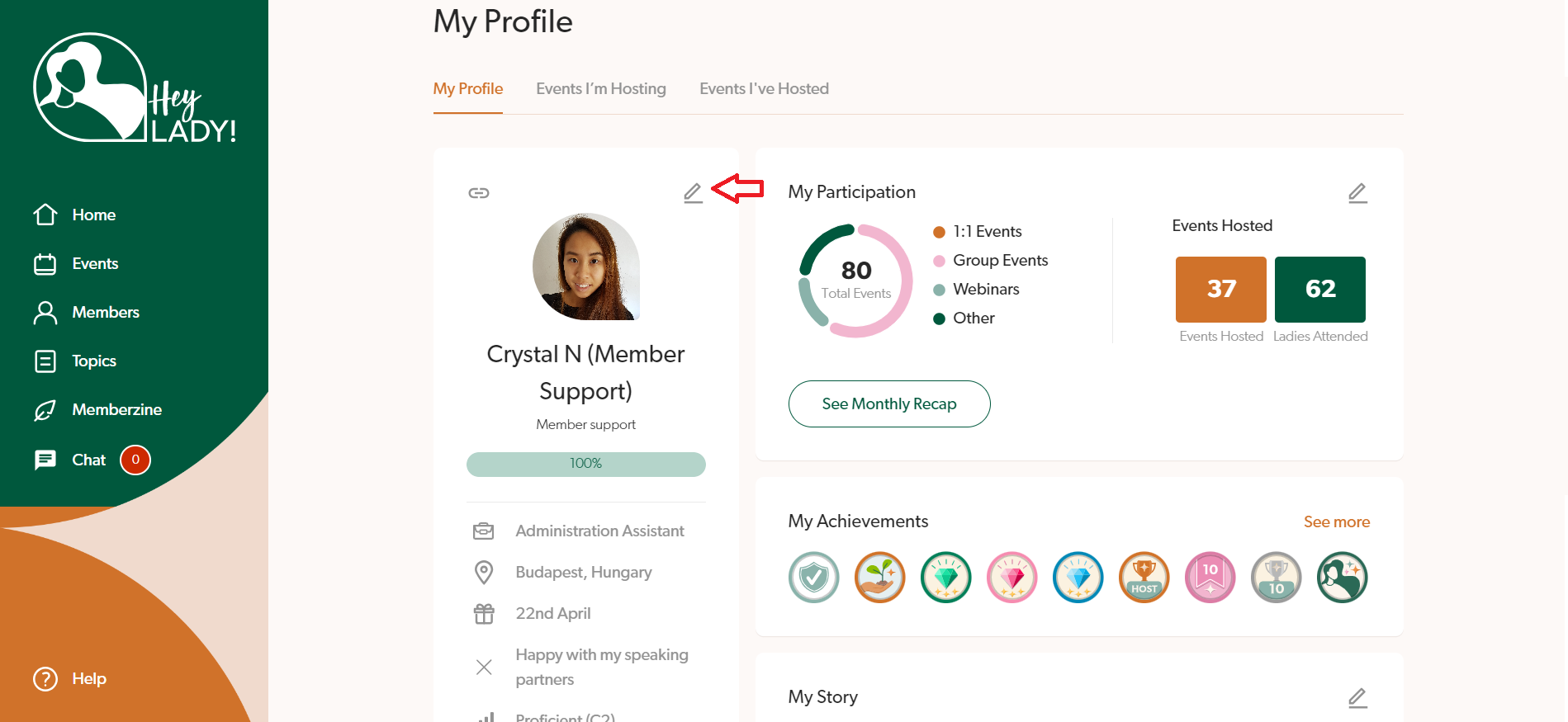
2. Click the pencil icon next to your profile photo.
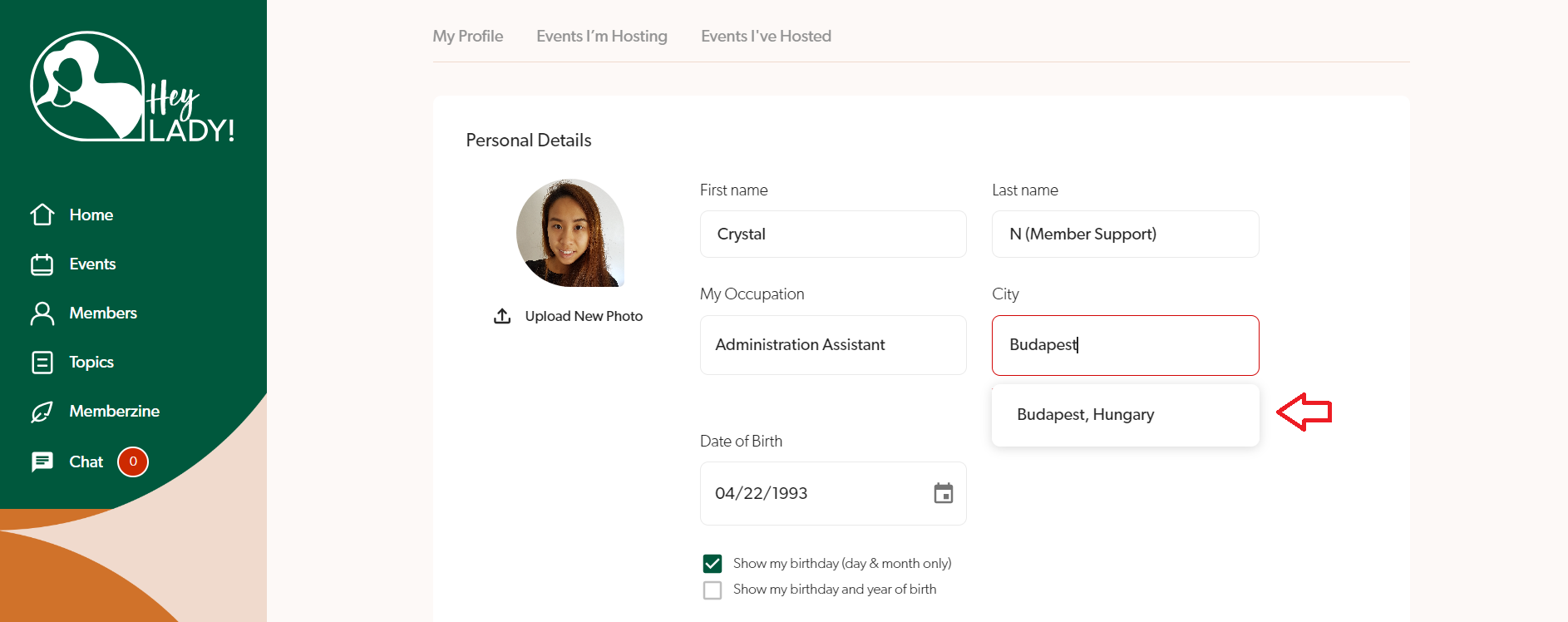
3. In the location field, type your city first, and then a dropdown of options will appear below. If you still cannot find your city, type your country as well to be more specific. Find and select your city and country.
4. Click Save changes.