

Deleting your account means that you want to leave our community permanently so we will delete your account and remove all information. Your subscription will also end immediately.
Note: If you want to return to Hey Lady! in the future, you will need to set up a new account and profile.
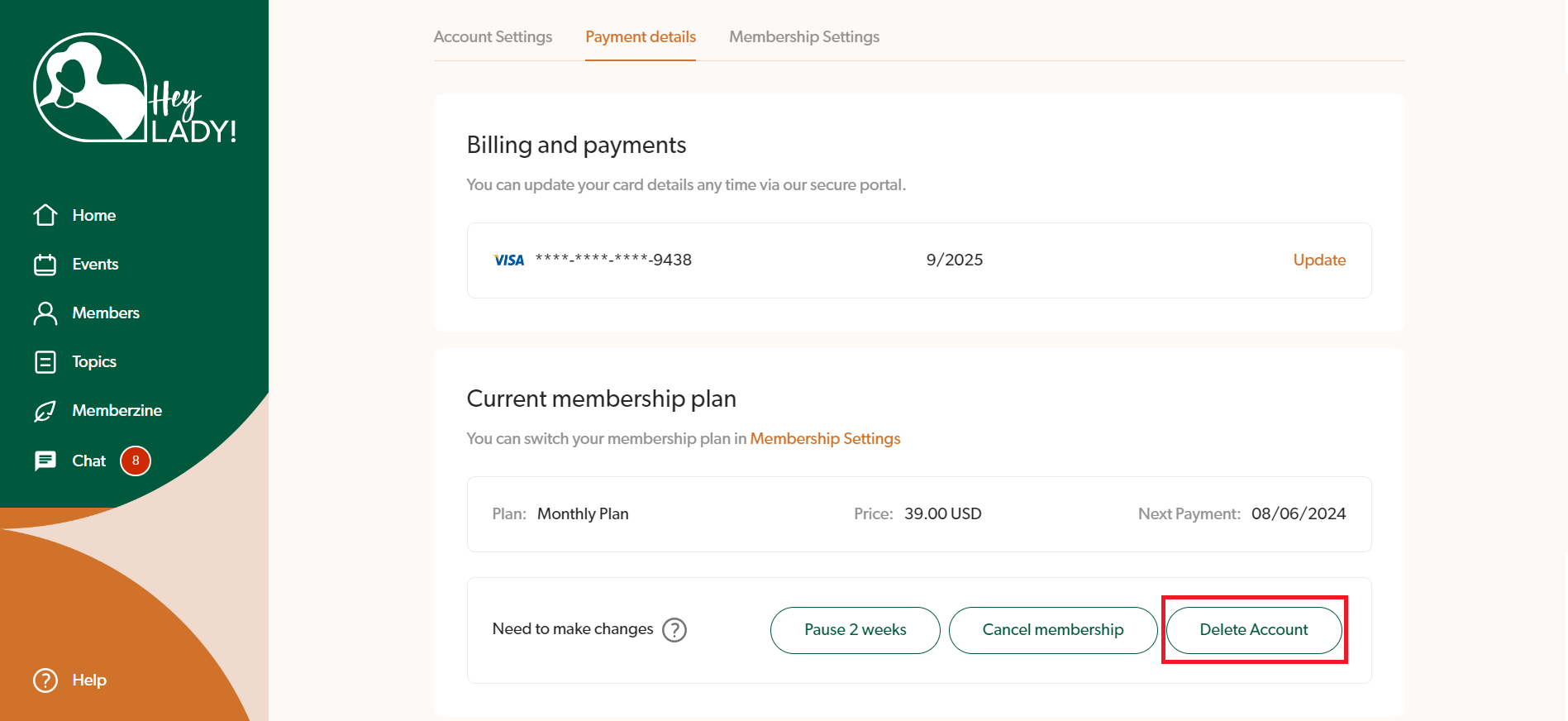
To delete your account, just go to your Payment Details here and click the Delete Account button.
Instructions on how to delete your Hey Lady! profile
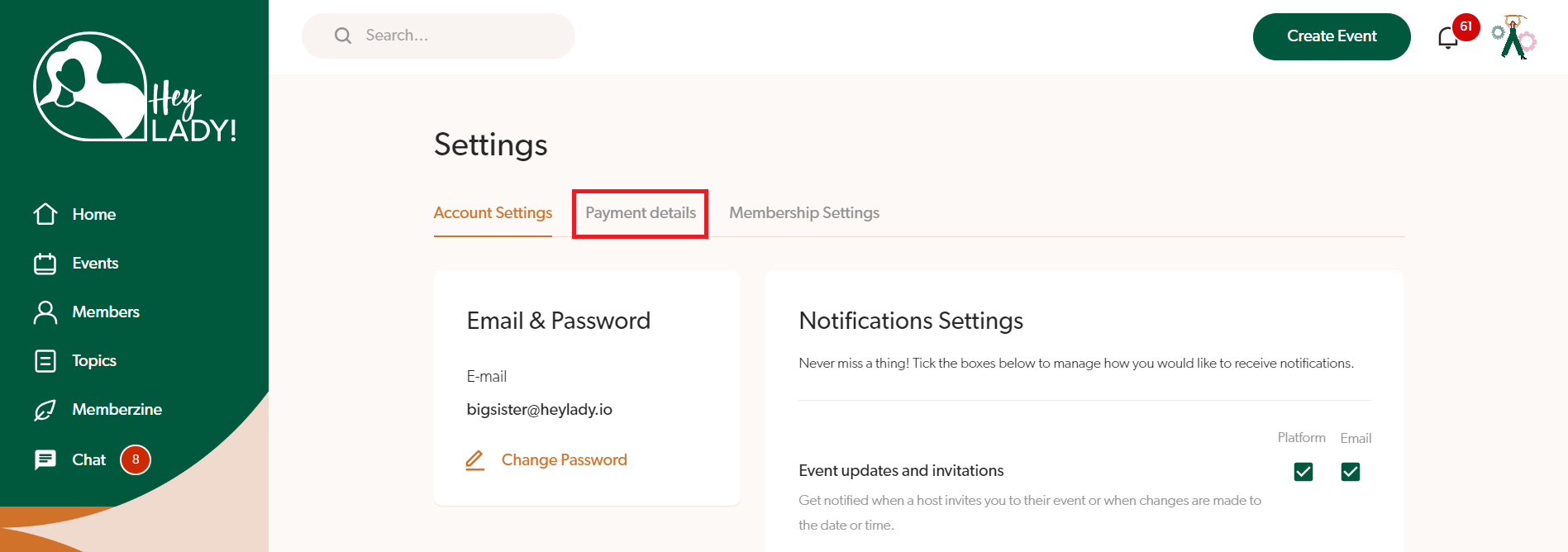
1. To delete your account, go to your profile photo on the top right corner and click Settings
2. Click Payment Details
3. Click Delete Account
4. If you need help with participating in Hey Lady! instead of cancelling, please select one of the options shown (our team are always happy to help!). Click the Send request button, and someone from our team will email you with the next steps.
If you would like to proceed with cancelling, click the button No, thank you to confirm the deletion. Once you delete, your Hey Lady! subscription will end, your account will be deleted immediately and you will be logged out of the platform.