

How to have the best video experience inside Hey Lady! - helpful tips!
Please use the most up-to-date version of Google Chrome to participate. You can download and install Google Chrome here.
Connect to a stable network, preferably through an ethernet cable, especially if you are using an older device
Instructions on how to mute a participant during your Hey Lady! event:
Note: This is only available if you are the host of an event.
1. While inside your event, click People at the bottom of the screen and your list of participants will appear on the right-hand side.

2. Find the participant whose camera you want to turn off and click the 3 dots next to their name.
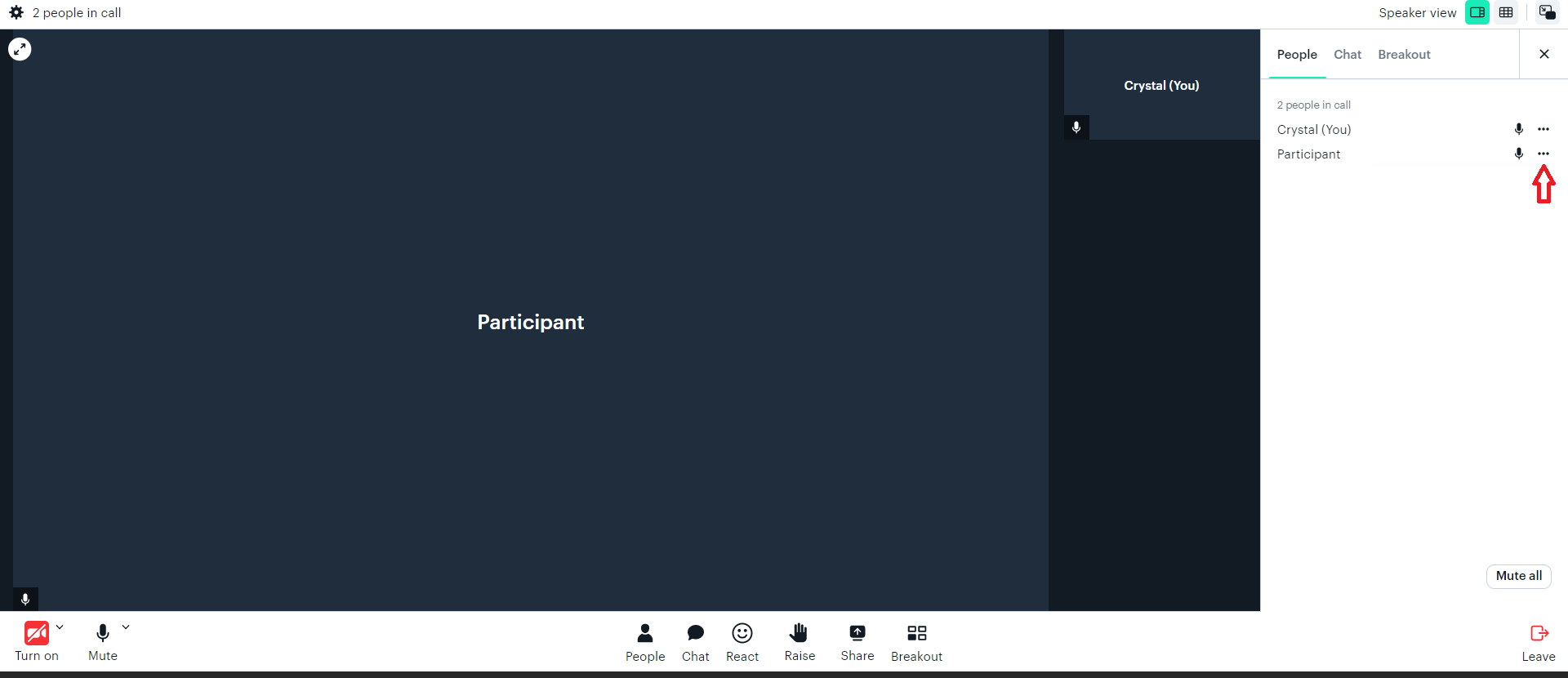
3. A drop-down menu of options will then appear. Click Turn off camera.
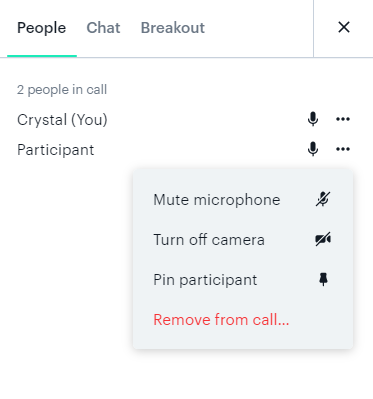
Note: You cannot turn on a participant's camera. They will need to do it themselves using their meeting controls.