

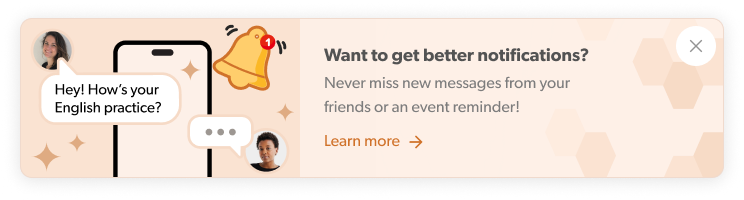
🚀 Stay in the loop — even when Hey Lady! isn’t open on your device!
We’ve got exciting news! Hey Lady! now supports push notifications, which means you can stay connected to the community in real time!
Once enabled, you’ll receive notifications straight to your phone or desktop for things that matter - like new messages from your friends, event reminders and important updates. No more missing conversations or forgetting to join an event because life got busy (we’ve all been there 😅)
Think of push notifications as your friendly tap on the shoulder from Hey Lady!, helping you stay connected, show up on time and never miss a moment - wherever you are.
⚡ What are push notifications?
Push notifications are short alerts sent directly to your phone or desktop to keep you updated — even when Hey Lady! isn’t open or being actively used on your device. They pop up in real time (and can appear on your device's lock screen) to let you know about things like new messages, event reminders and changes, or important updates, so you don’t miss what’s happening in the community.
🛠️ How do I enable push notifications?
Clear your browser's cookies and cache (instructions here)
Log into the Hey Lady! platform again and there should be a pop-up in the bottom left corner; click Allow - this gives us permission to send you notifications.
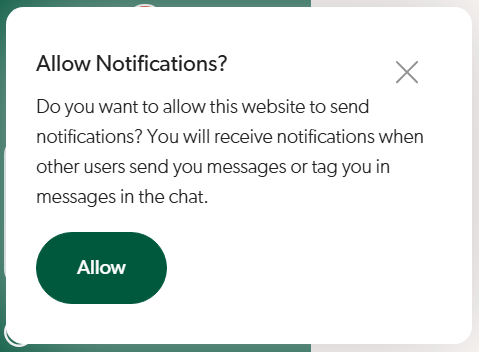
(If you don't see this pop-up, please email us at hello@heylady.io so we can assist you!)
Complete the following installation instructions based on your device.
Note: Once installed correctly on your device, this green Hey Lady! app icon should appear.
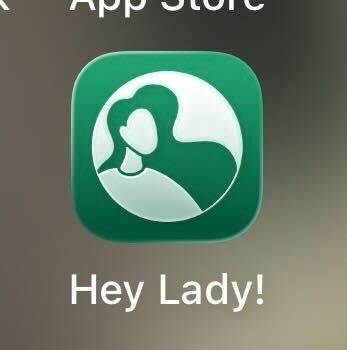
If a white app appears, please uninstall, refresh the browser and try the installation instructions again.
Android (Chrome)
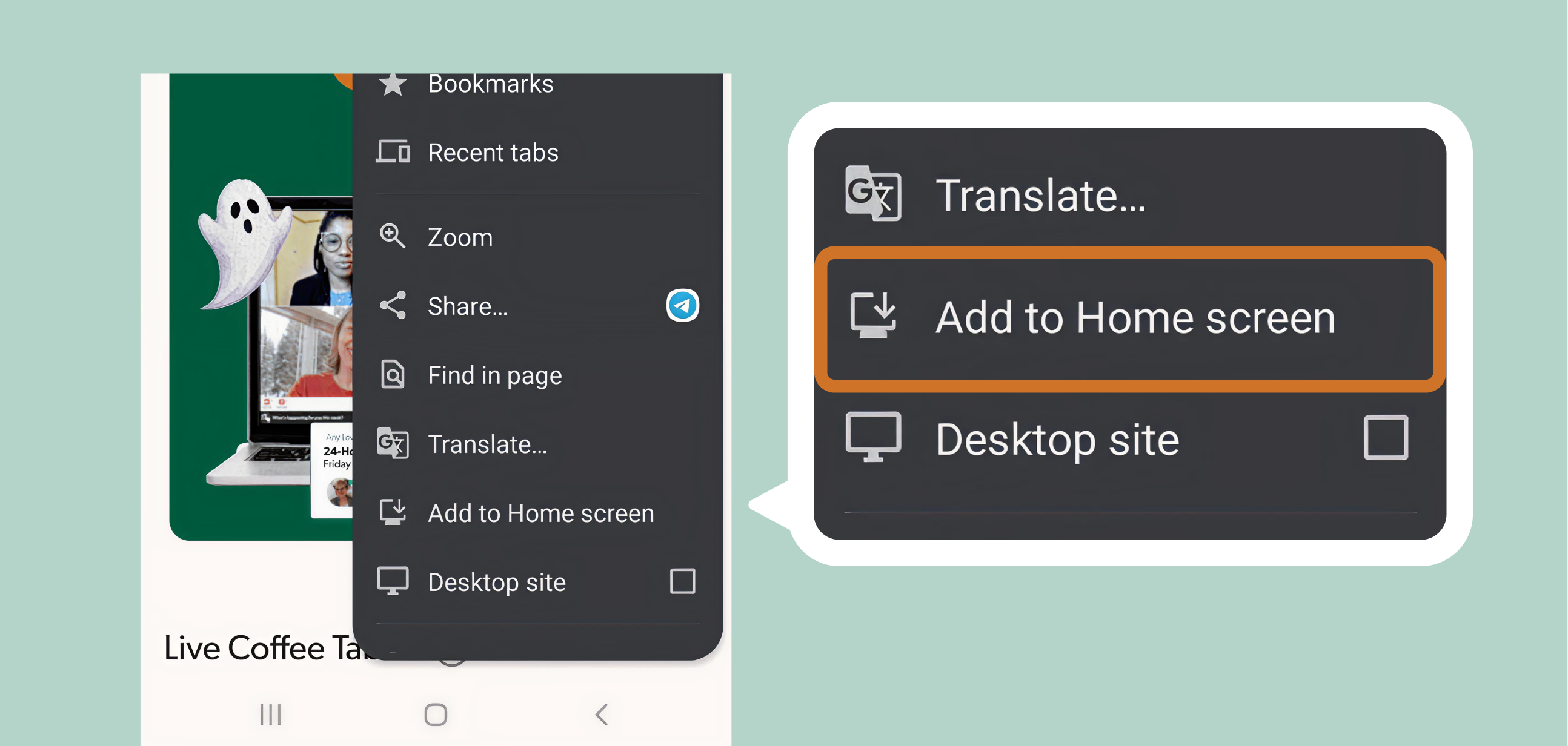
Tap the three-dot menu in the upper-right corner of your screen.
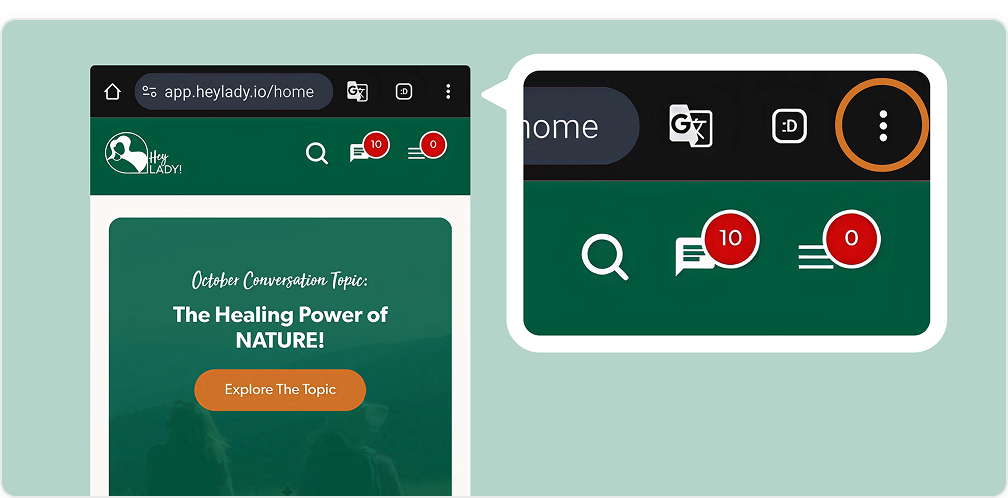
Select Add to Home screen.
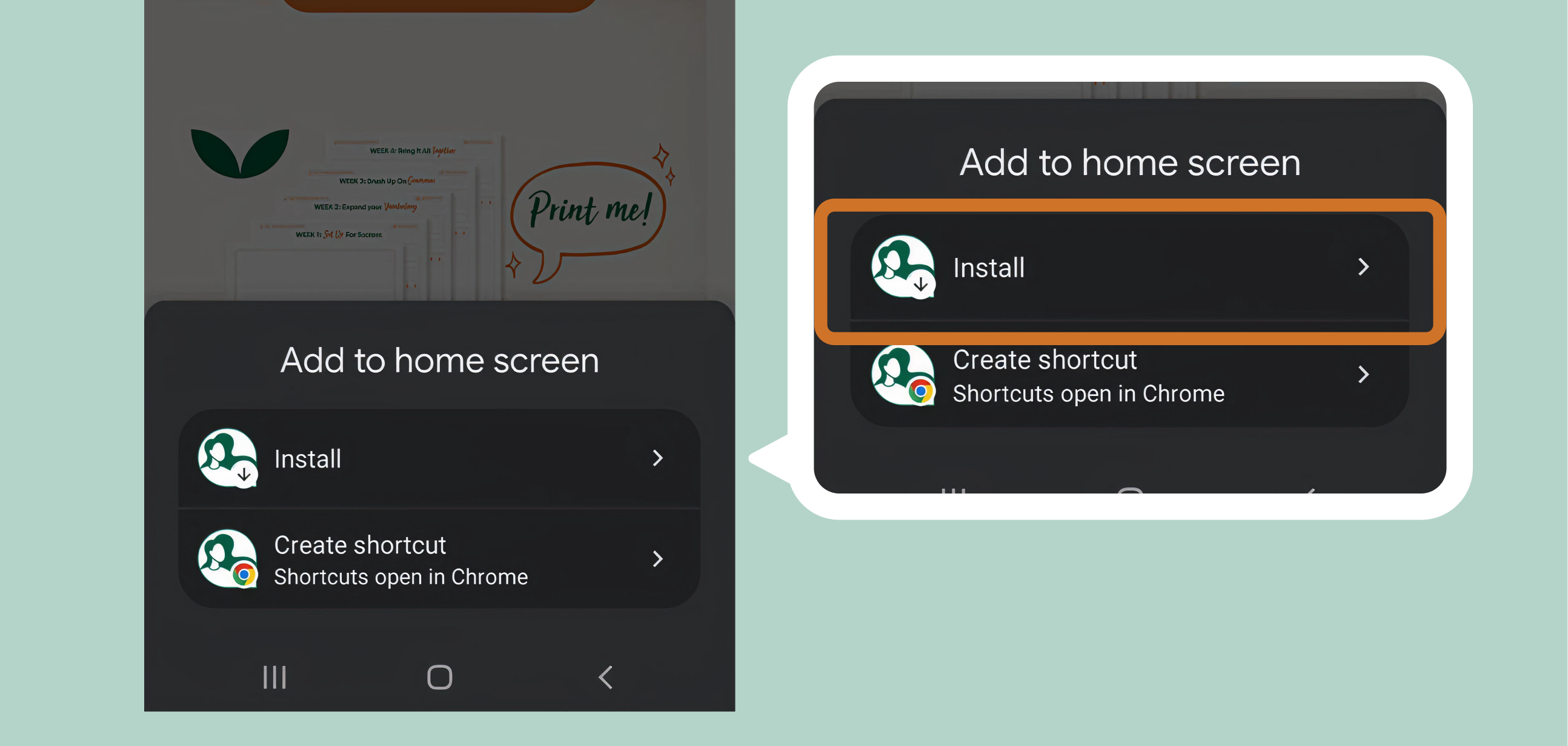
Tap Install, then confirm by tapping Install again on the next screen.
Hey Lady! will appear on your home screen — open it anytime to get instant notifications!
iOS (Safari or Chrome)
If you’re using iOS 16.4 or later (released in 2023), you can add Hey Lady! to your Home Screen using Safari, Chrome, or other supported browsers.
If you’re using iOS 16.3 or earlier, the features to complete the following are only available in Safari.
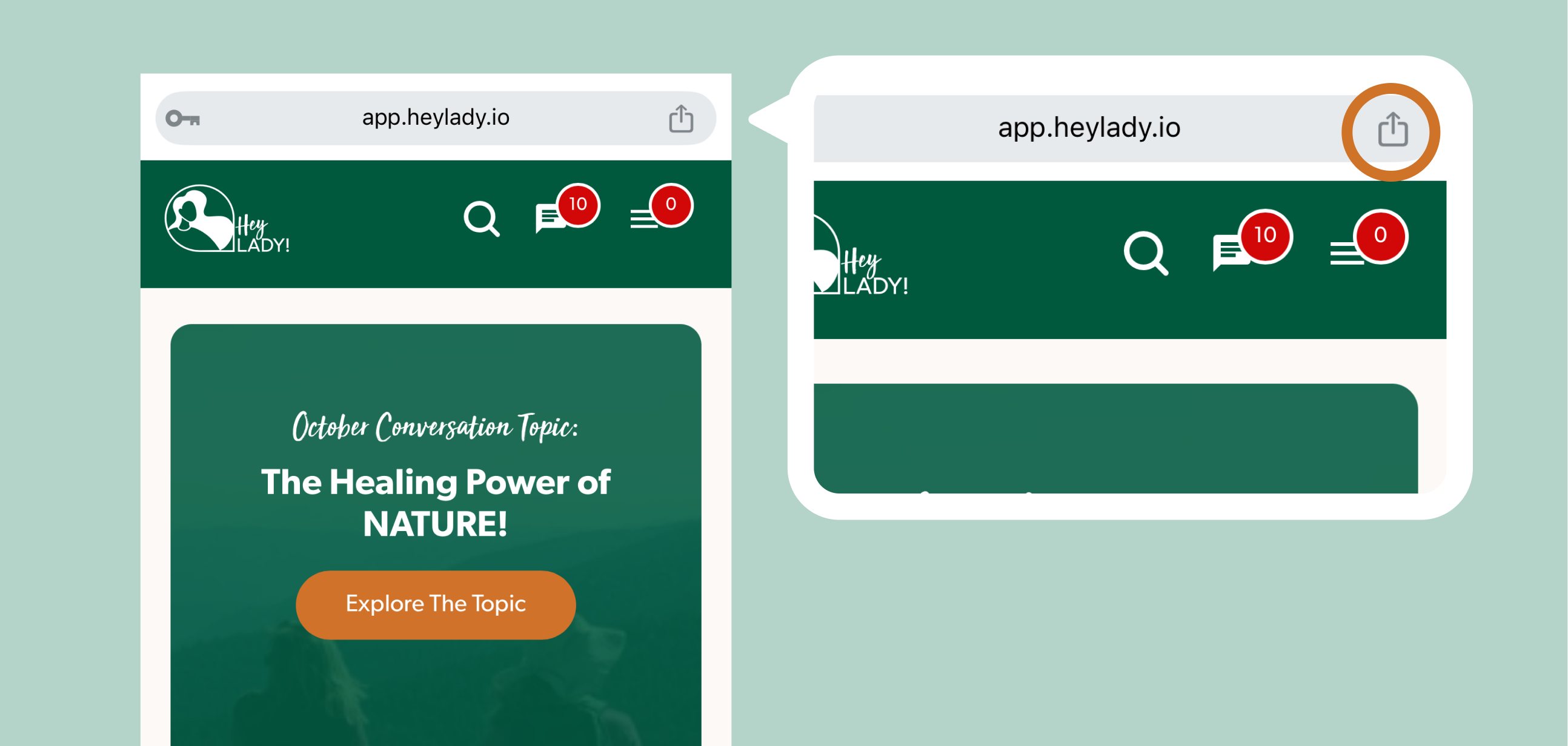
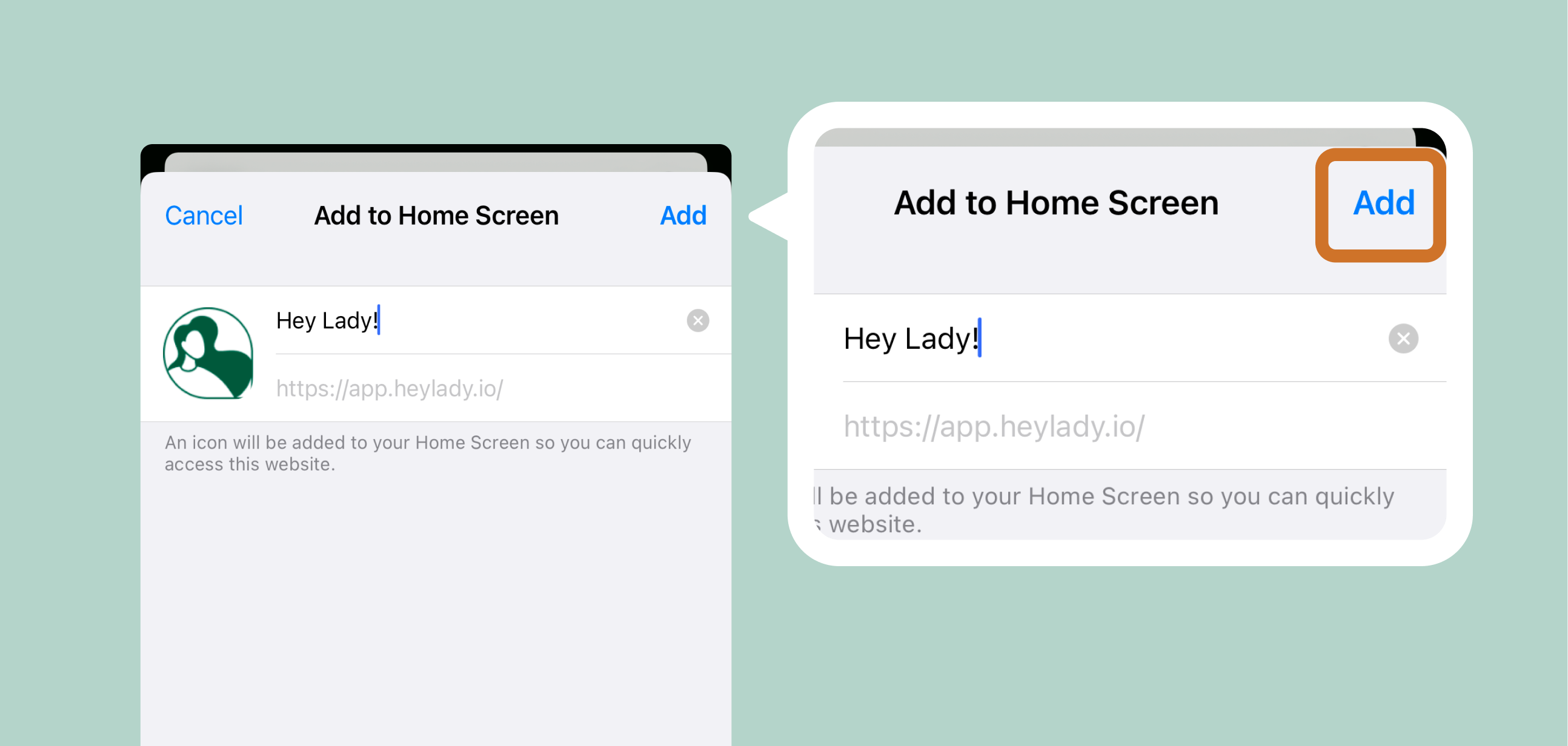
Tap the Share icon at the bottom or top of the screen.
Scroll down and tap Add to Home Screen.
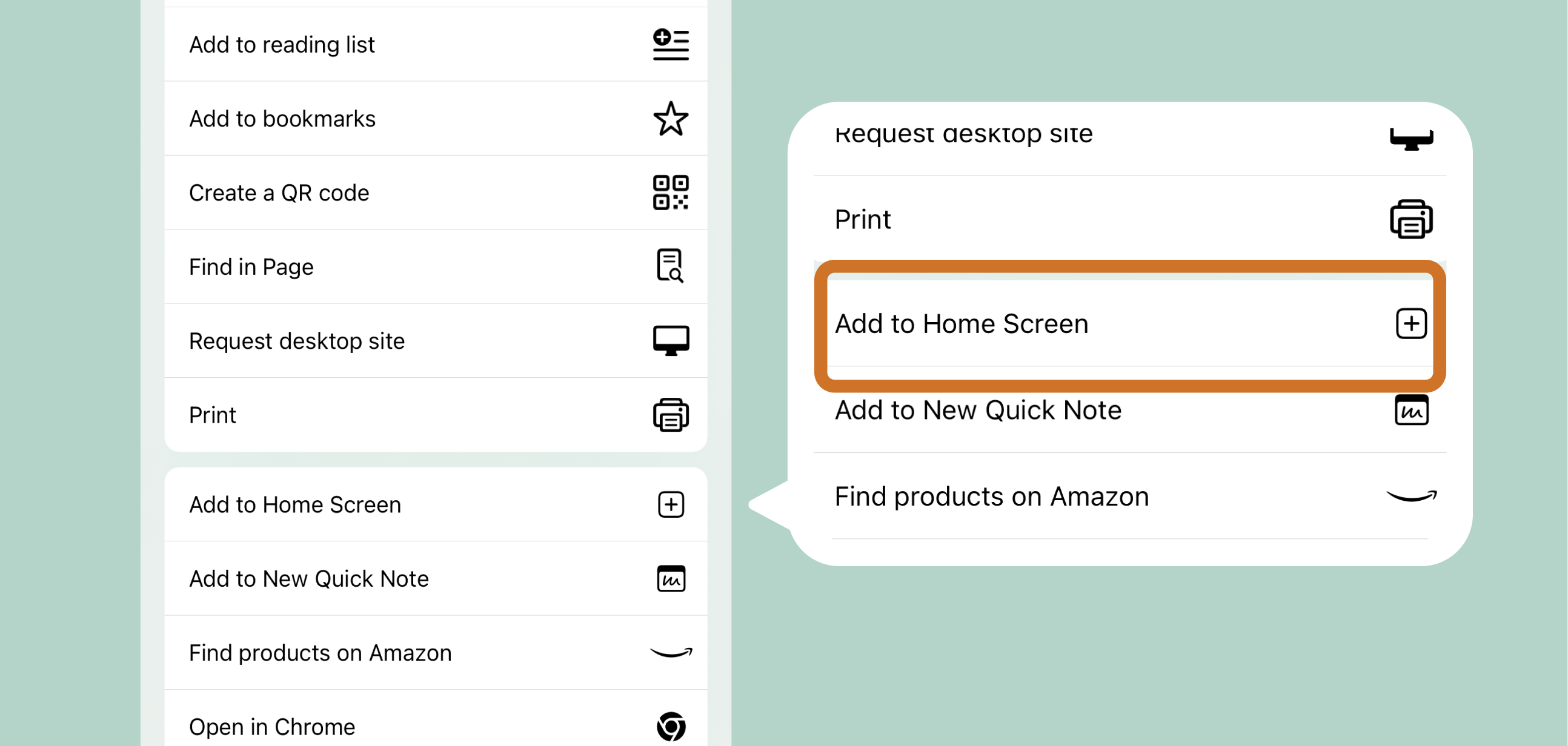
If you’re using Chrome (or another browser) on your iOS and don’t see the Add to Home Screen option, it’s likely that your iOS version is older than 16.4. (You can check which iOS version you’re using by following the steps on this page)
If this is the case, please try these steps again with Safari or update to a newer version so you can add it to Chrome.
Name it Hey Lady!, then tap Add.
Hey Lady! will now appear on your home screen — open it to enable notifications.
Desktop (Chrome)
1. Click the three-dot menu icon in the top-right corner of Chrome.
2. Go to Cast, save, and share. Select Install page as app.
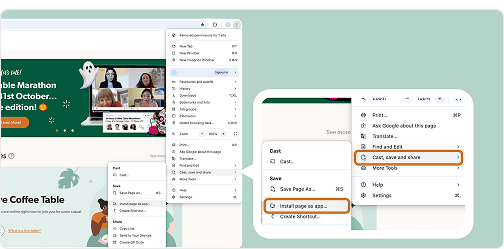
Name it Hey Lady! and click Install.
The app will open in a new window, and you’ll start receiving notifications directly on your computer.
🖱️ How do I control which push notifications to receive?
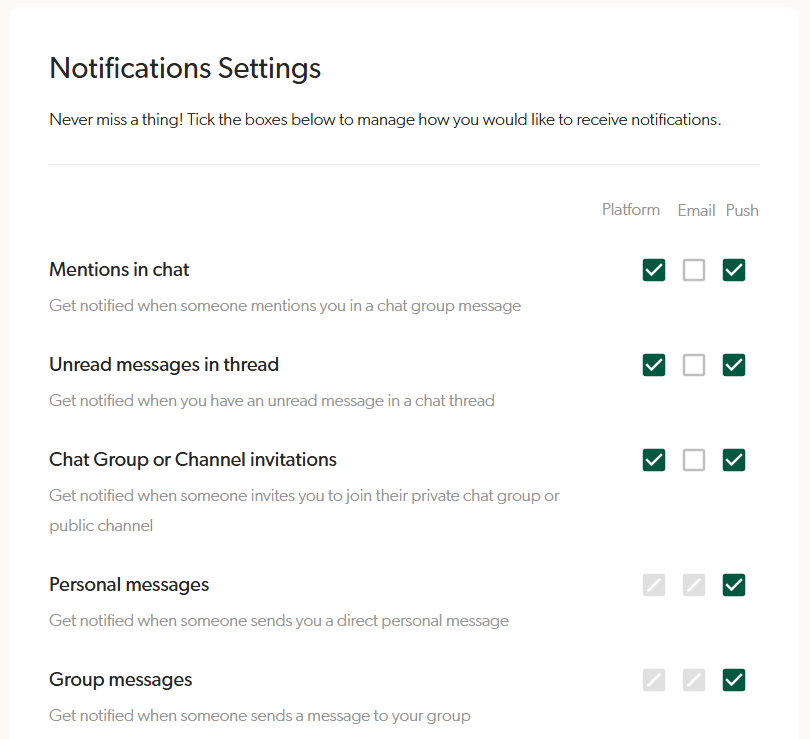
Receiving too many push notifications? You don't need to be notified about everything if you don't want to! Control which notifications you want to receive in your Account Settings here and tick the relevant ones.
Notes:
Green tick means enabled
White box means disabled (no notifications)
Grey box means we currently don't have any notifications available
What is the difference between platform, email and push notifications?
🔔 Platform notifications
These appear inside Hey Lady! when you’re logged in and can be accessed by clicking the bell icon in the top-right corner of the platform. You’ll see them only while you're actively on the platform, letting you know about things like new messages or activity.
📧 Email notifications
These are sent to your email inbox. They’re great for reminders or updates you can read later, but they may not be seen right away.
📲 Push notifications
These are instant alerts sent straight to your phone or desktop, even when Hey Lady! isn’t open. They’re perfect for time-sensitive updates like new messages or event reminders, helping you stay connected in real time.
Need help?
Email us at hello@heylady.io and our team would be happy to assist!